NearVibe
- 3.2
- Rating
- 10.00K
- Installs
- Free
- Price

 Analysis by App-foxy
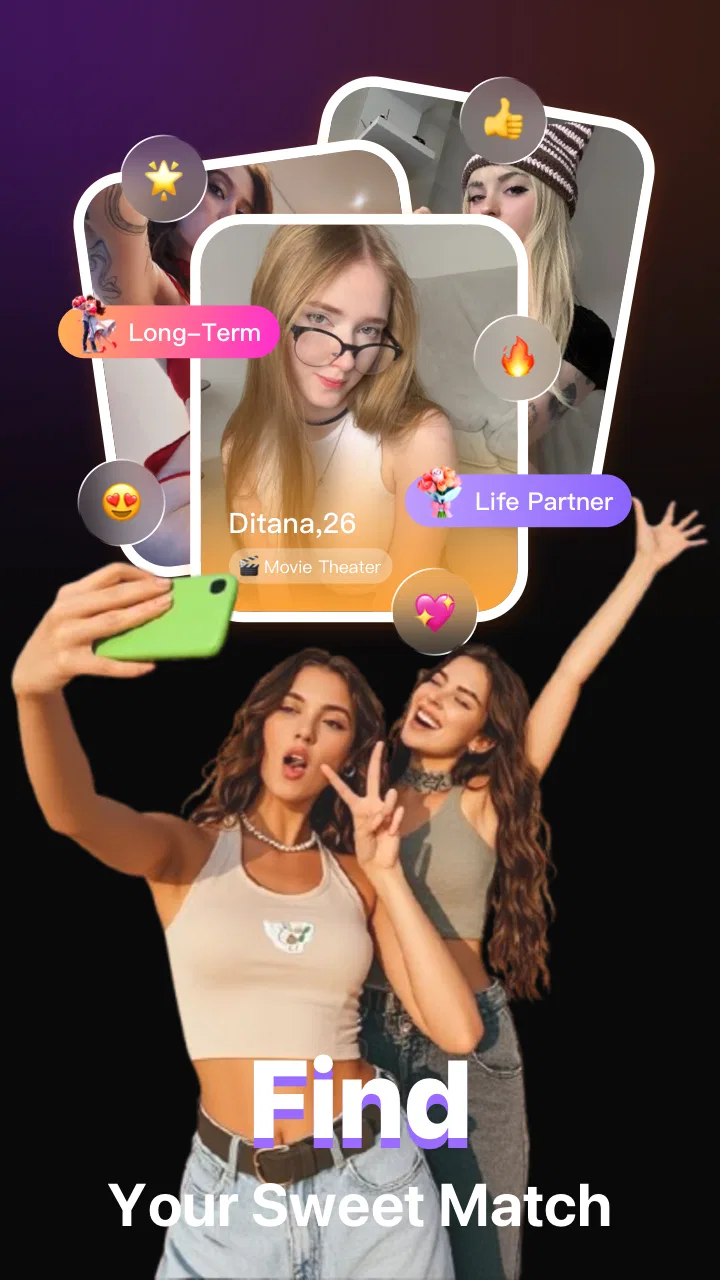
I approached NearVibe as a social app for people who want to discover nearby connections rather than browse an enormous, distant network. Its basic idea is easy to understand: notice the social atmosphere around you, find people who may be open to meeting, and begin a conversation. That local focus gives it a different feel from broad social networks, although it also makes the quality of the experience depend heavily on where and when you use it.
In my experience, the app is most interesting for casual discovery. It could suit someone who has moved to a new area, wants to meet people beyond an existing friend group, or prefers a conversation connected to the place they are actually in. It is free to install, developed by WHALENEX LIMITED, and listed for mature users aged 17 and over. The current release is version 1.3, and it runs on Android 7.0 or later.
The first thing I would tell a friend is to treat it as a tool for starting conversations, not as a guarantee of meaningful friendships. That distinction matters. NearVibe can help reduce the awkwardness of approaching strangers because the app provides a shared starting point, but users still need to decide how much to reveal, whether a conversation feels respectful, and whether moving from chat to an in-person meeting is sensible.
You May Also Like

 AccuWeather: Weather Radar
AccuWeather Review: A Quick, Clear Forecast for Everyday Decisions
For everyday plans, the best forecast is the one you can understand quickly. AccuWeather makes rain timing, radar, and local conditions easy to act on, with a few trade-offs.

 Hill Climb Racing
Why Hill Climb Racing Still Turns Crashes Into One More Run
A tiny car, a bumpy hill and one more upgrade: Hill Climb Racing keeps resurfacing because its simple chaos makes every near-miss feel personal.

 AliExpress - Shopping App
AliExpress Makes Global Shopping Feel Personal, but Shoppers Bear the Risk
AliExpress turns a global marketplace into a pocket-sized discovery engine. Its reach is useful, its shopping loop compelling, and its trade-offs easy to miss.

 Lords Mobile: Kingdom Wars
Lords Mobile Is a Kingdom-Building Routine, Not a Quick Match
A case-by-case verdict on the building, battles, device demands, and social commitments that make Lords Mobile rewarding for some players and exhausting for others.

 PDF Scanner app - TapScanner
TapScanner Makes Paperwork Easier to Capture, Check, and Share
TapScanner makes scanning with a phone feel less like a rescue operation and more like a dependable step in getting work done. Its capture tools are useful, though not flawless.

 Block Blast!
 Shows How Much a Puzzle Game Can Leave Out
A quiet grid game shows why puzzle players increasingly value instant clarity, repeatable skill and low-pressure play—and where the genre still needs to catch up.
More From Our News Desk
View All News


How the app feels to read and navigate
I find that the key question with a nearby social app is not just whether its screens are easy to scan, but whether they help me distinguish a useful opening from noise. In this section, I would look at how a reader can pace discovery and avoid making quick assumptions based on proximity. That naturally leads into the different sensory and communication needs that can shape the experience.
A simple idea with a potentially busy social layer
The concept is more approachable than many social platforms that confront new users with multiple feeds, groups, media formats, and notification streams. NearVibe is centered on nearby people and chatting, so its purpose is easier to explain in one sentence. That narrow focus is a strength for anyone who dislikes wandering through a crowded interface just to find the main action.
At the same time, location-oriented social discovery can become visually and mentally busy when several people, prompts, or conversation choices appear at once. A user who prefers a calm, predictable layout may need a little time to understand what deserves attention first. I would not judge the app only by its store summary; the important question is whether the nearby activity is presented in a way that feels organized instead of urgent.
For readability, I would use the app with system text enlargement and display settings adjusted before beginning conversations. That is not a claim that every screen has been optimized for every vision need. It is simply a practical habit: social apps often place important labels, profile details, and action controls close together, and larger text can make scanning more comfortable while also revealing where the layout becomes cramped.
Navigation habits that make a difference
My most useful approach would be to move slowly during the first session. I would check the main discovery area, inspect what information is visible about another person, and only then open a chat. This avoids treating every nearby profile as an invitation to respond immediately. It also gives users who process information more slowly a chance to understand the context before making a social decision.
I would keep notifications under control from the beginning. A nearby-social app can be distracting if every new interaction feels like something that needs an instant reply. Muting or limiting alerts, where the device allows it, helps separate genuine interest from background noise. This is especially useful for people who are sensitive to interruptions, work in focused environments, or need extra time to compose messages.
There is also a social-navigation issue that has nothing to do with buttons. The app’s local emphasis may encourage quick judgments based on limited information. I recommend reading a profile carefully, starting with a neutral message, and avoiding assumptions based on proximity alone. A person being nearby does not automatically mean they share your interests, schedule, communication style, or comfort with meeting.
What the rating and audience suggest
NearVibe currently sits at a 3.2 average from around thirty ratings, with roughly seventeen written reviews. That is a small and mixed signal, so I would interpret it cautiously. It suggests that the experience may feel uneven between users, which is common for a location-based social service because the available community changes from one area to another.
The app has passed ten thousand installs, enough to show that the idea has found an audience, but not enough to assume that every neighborhood will have a lively pool of people. A person in a busy area may find more opportunities than someone in a quiet town. This is one of the most important differences between NearVibe and a large general-purpose social network: the app’s usefulness is local, immediate, and dependent on participation nearby.
Motor, sensory, and communication considerations
Reading and navigation are only part of the experience; the way someone taps, types, processes alerts, or interprets a short message can matter just as much. I would consider practical adjustments that help people stay in control without assuming the app offers particular accessibility tools. From there, it makes sense to see how those choices hold up in everyday settings.
Typing is helpful, but not effortless for everyone
Chat-based interaction can be more comfortable than face-to-face introductions for people who need time to choose words, manage social anxiety, or communicate without relying on rapid speech. NearVibe’s emphasis on beginning conversations gives users a chance to pause before replying. In that sense, the app may support a more controlled first contact than walking up to someone in a public place.
However, messaging still creates demands. Repeated tapping, scrolling, and typing can be tiring for users with limited dexterity, tremors, joint pain, or fatigue. I would use the phone’s built-in voice input when appropriate, enlarge touch targets through system settings where possible, and avoid trying to hold a long conversation while walking. These adjustments come from the device and personal workflow rather than from a confirmed accessibility feature inside the app.
For users who rely on assistive technologies, the practical experience may vary by phone, operating system, and screen. I would test the key path first: open the app, find the nearby discovery area, inspect a profile, and send or receive a message. If any control is difficult to identify or activate, that problem matters more than how attractive the overall idea sounds.
Visual and sensory load
Nearby discovery can be stimulating because it connects the digital experience with the physical environment. Someone using the app in a busy station, café, campus, or event may already be processing voices, movement, signs, and notifications. Adding a stream of social possibilities can become too much, even if the app itself is simple.
I would recommend using it in a quiet place when making important decisions, especially before sharing personal details or arranging a meeting. Dark mode, reduced motion, larger text, and notification controls on the phone may help, but their effect depends on how the app responds to system settings. I would not assume that a device-level setting automatically makes every element comfortable or fully readable.
People with hearing differences may appreciate that initial contact can happen through written chat rather than a call. That said, text does not remove every communication barrier. Sarcasm, short replies, slang, and ambiguous messages can be difficult to interpret. I found that clear wording works better than trying to sound clever: mention a shared context, ask one easy question, and give the other person room to answer.
Communication style and personal boundaries
A useful but easily overlooked trade-off is the difference between accessibility and availability. Chat makes interaction possible without immediate speech, yet a nearby contact may expect a quick response simply because the app is built around the present moment. Users who need breaks, use supported communication, or prefer asynchronous conversation should set that expectation early.
I would also avoid judging someone for taking longer to reply. The app may bring together people with very different energy levels, schedules, languages, and communication needs. A slower exchange is not necessarily a failed exchange. Conversely, nobody should feel pressured to continue simply because a conversation has started.
The mature age classification is another reason to be deliberate. It places the app in a context where users should think seriously about boundaries, privacy, and the possibility of adult themes in social interaction. I would never share a home address, workplace details, financial information, or private images with a new contact simply because they appear nearby.
Using NearVibe in different real-life situations
A local discovery app may feel very different during a quiet evening at home than during a busy outing, so I would judge it in the context where I actually hope to meet people. This section considers how to make a small, low-pressure trial more informative while keeping personal boundaries intact. Those real-life differences also point to the practical barriers worth weighing before settling into a routine.
A realistic everyday scenario
Imagine arriving in a new neighborhood on a weekday evening. You do not know anyone locally, but you would like to find a casual conversation rather than join a large online group. NearVibe could be useful as a low-pressure first step: browse nearby activity, look for a profile that gives you a genuine opening, and send a short message about a public place or shared interest.
I would keep the first meeting separate from the first chat. If the conversation feels natural, suggest a busy public location during daylight or an active part of the day. Tell a trusted person where you are going, arrange your own transport, and leave if the situation feels wrong. The app can introduce people; it cannot replace ordinary safety judgment.
When location is an advantage
The local focus is valuable for users who want practical connections. Someone looking for a walking companion, a conversation during a community event, or a new acquaintance in a recently changed routine may find more relevance here than on a global feed. The distance between online discovery and real-world possibility is shorter.
This can also help people who feel overwhelmed by huge networks. Instead of trying to maintain hundreds of weak connections, you can concentrate on a smaller set of people who are realistically within reach. The trade-off is that a smaller local pool may offer fewer matches for niche interests or quieter communication styles.
When location becomes a limitation
If you live in a sparsely populated area, travel frequently, or want conversations with people from other countries, a broad social platform may be a better fit. NearVibe’s central idea is less useful when there are few active users nearby or when physical proximity is not relevant to what you want.
It may also be the wrong choice for someone who wants a structured dating service, professional networking, or a tightly moderated interest community. A general social network can provide established groups and longer profiles, while a dedicated service may offer clearer expectations for its particular purpose. NearVibe occupies a more spontaneous middle ground, and that flexibility can feel refreshing or vague depending on your goal.
Free access and optional spending
The app is free, but it includes in-app purchases ranging from $3.99 to $69.99 per item. I would use the free experience long enough to decide whether there are worthwhile local conversations before spending anything. The presence of paid items does not automatically make the app poor value, but it does mean users should understand what an optional purchase changes before confirming it.
A sensible workflow is to avoid buying during the excitement of a new interaction. First check whether you are actually using the app regularly, whether nearby activity is sufficient, and whether the free tools already support your purpose. For younger adults within the mature age classification, purchase controls on the device are worth reviewing so that experimentation does not become an unwanted expense.
Remaining barriers and practical friction
Even when an app’s purpose is clear, friction can come from the surrounding circumstances: the local community, a user’s communication preferences, or the effort of staying attentive to privacy. I would treat those as ongoing considerations rather than problems a single setting can solve. That leaves the final question of whether the app continues to earn attention after its initial novelty wears off.
Local participation can shape the whole experience
The most significant limitation is not necessarily a missing button or difficult screen. It is the network effect of a nearby social app. If few people in your area use it, discovery may feel empty, repetitive, or too narrow. That can make the app seem disappointing even when the underlying concept is appealing.
I would give it a short, realistic trial at different times rather than judging it from one quiet visit. A weekday afternoon, an evening, and a public event may produce very different results. Even then, I would not expect continuous activity. The app is better understood as a place to check occasionally than as a service that must always provide a fresh conversation.
Privacy requires active choices
Proximity changes the meaning of ordinary profile information. A harmless detail on a distant network can become identifying when combined with a location, routine, workplace, or regular hangout. I recommend keeping profiles general at first, avoiding real-time announcements about where you are, and moving sensitive conversation away from public visibility only when trust has been earned.
Users should also remember that a friendly tone is not proof of good intentions. I would be cautious with people who rush intimacy, demand constant replies, ask for money, push for private images, or resist meeting in a public setting. Blocking and reporting habits are part of using any social app, even when the interface makes meeting people feel casual.
Accessibility cannot be assumed from a simple design
A clean concept does not guarantee complete access for blind users, low-vision users, people with motor disabilities, neurodivergent users, or people who communicate differently. The app may be easy for one person and frustrating for another. I would test it with the specific assistive settings and input methods that matter to you, rather than relying on a general impression.
For users who find spontaneous interaction stressful, the best approach may be to prepare a few opening messages in advance. For users with limited energy, setting a short session limit can prevent the nearby feed from becoming an obligation. For users who need predictable routines, checking the app at a planned time is likely to work better than responding to every alert.
My inclusive verdict on NearVibe
NearVibe is a focused social app with a clear reason to exist: it brings the first step of meeting people closer to everyday life. I like that it can make local discovery feel less intimidating than approaching strangers without any shared context. Written chat may also give some users more control over pacing, wording, and boundaries.
Still, I would recommend it selectively. It is a reasonable choice for someone curious about nearby social connections, comfortable making careful privacy decisions, and willing to accept that the local user pool may be uneven. It is less suitable for anyone seeking guaranteed activity, highly structured matching, professional contacts, or a community organized around a specific interest.
My strongest advice is to evaluate it through a complete but cautious routine: adjust readability settings, control notifications, explore without rushing, start with low-risk conversation, and keep the first meeting public. Those steps address the practical barriers that a store description cannot show. They also make it easier to tell whether the app genuinely fits your communication style.
With an average rating of 3.2 and a still-growing audience, I see NearVibe as a developing option rather than an essential social platform. Its value will vary sharply by location and personal expectations. I would try the free version first, avoid assuming that nearby means trustworthy, and keep a broader alternative available if the local scene feels quiet.
My final recommendation: give it a careful trial if you want spontaneous local conversations and appreciate a slower, text-first introduction. Skip it if you need a reliably active network, highly detailed accessibility support, or a clearly defined social purpose. Used with realistic expectations, it can open a door to new connections; it should not be treated as the entire room.
FAQs for NearVibe
01What is NearVibe and what can I use it for?
NearVibe is designed to help users discover nearby places, activities, events, or people based on their location and interests. After installing the app, you can typically browse locally relevant content, explore recommendations, and interact with nearby opportunities through its interface. The exact experience may depend on your city, available listings, and the permissions you choose to grant.
02Does NearVibe require access to my location?
NearVibe may request location access to provide nearby recommendations and make its core discovery features more useful. You can usually choose whether to allow location access while using the app, allow it continuously, or deny permission altogether. If you refuse access, some location-based functions may be limited, but you should review the app’s settings and privacy policy before deciding.
03Is NearVibe free to download and use?
NearVibe may be available as a free download, although certain features, services, promotions, or premium options could require payment depending on the version and platform. Before using any paid function, check the pricing information shown inside the app or on its official store listing. Also review subscription terms carefully, including renewal conditions and cancellation instructions.
04Is NearVibe safe and suitable for sharing personal information?
As with any location-based social or discovery application, you should be selective about the information you provide on NearVibe. Avoid publishing sensitive details such as your home address, financial information, passwords, or private documents. Review the app’s privacy policy, account visibility controls, reporting tools, and permission requests, and only communicate or meet with other users using sensible safety precautions.
05What should I do if NearVibe does not show nearby content or work correctly?
If NearVibe fails to display relevant nearby content, first confirm that your device’s location services are enabled and that the app has the necessary permission. A stable internet connection, updated app version, and accurate location settings can also make a difference. If the problem continues, restart the app, check its help section, or contact the developer through the official support channel.
Pros
- Helps discover nearby events and activities tailored to your interests.
- Useful for finding local communities and meeting people with similar hobbies.
- Location-based suggestions make exploring your neighborhood more convenient.
- Can help users support local venues
- creators
- and community events.
- Simple concept makes it easy to browse nearby social opportunities quickly.
Cons
- Some areas may have limited listings or less active local communities.
- Location access may be required for the app’s main discovery features.
- Event information can become outdated if organizers do not update listings.
- Recommendations may feel less useful without enough profile preferences.
- Sharing location and interests may raise privacy concerns for some users.

NearVibe
Gallery